Account & security
Sign in with an emailed link
Sign in without typing your password: AspireOS emails you a one-time link.
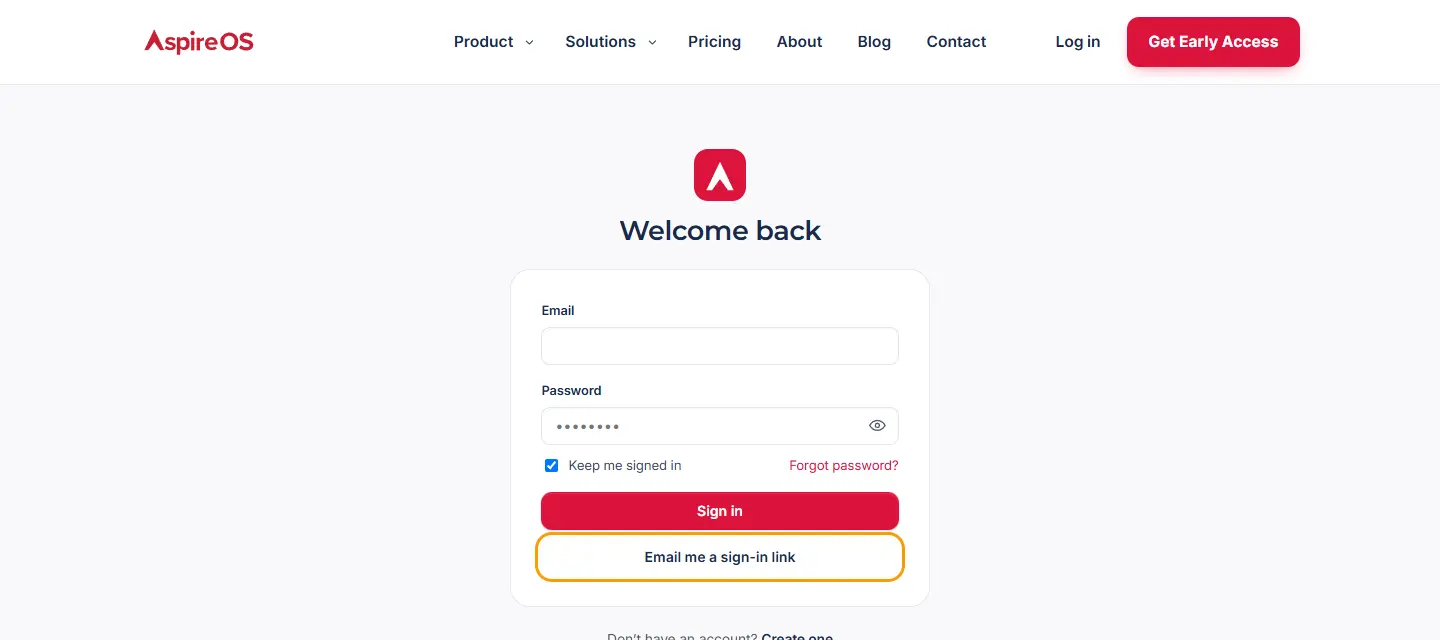
Choose Email me a sign-in link
Go to the AspireOS sign-in page and click Email me a sign-in link, under the Sign in button.
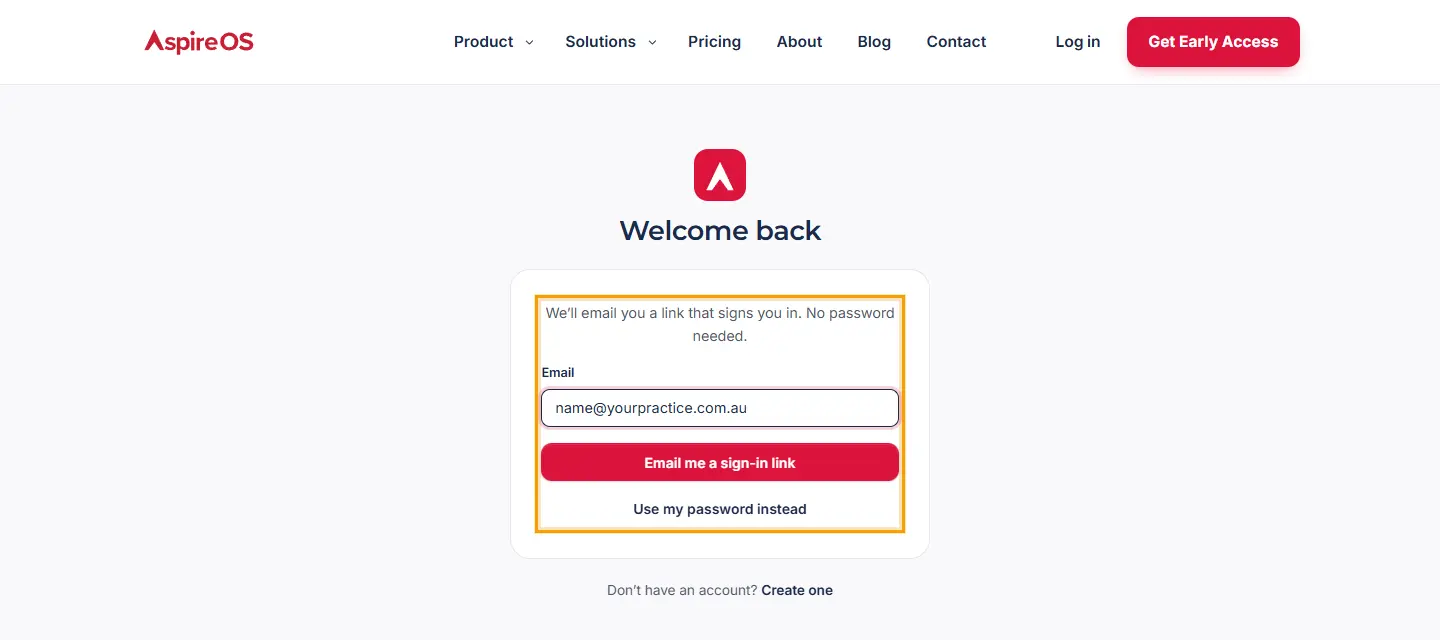
Enter your email
Type the email address you sign in with, then click Email me a sign-in link. Changed your mind? Click Use my password instead.
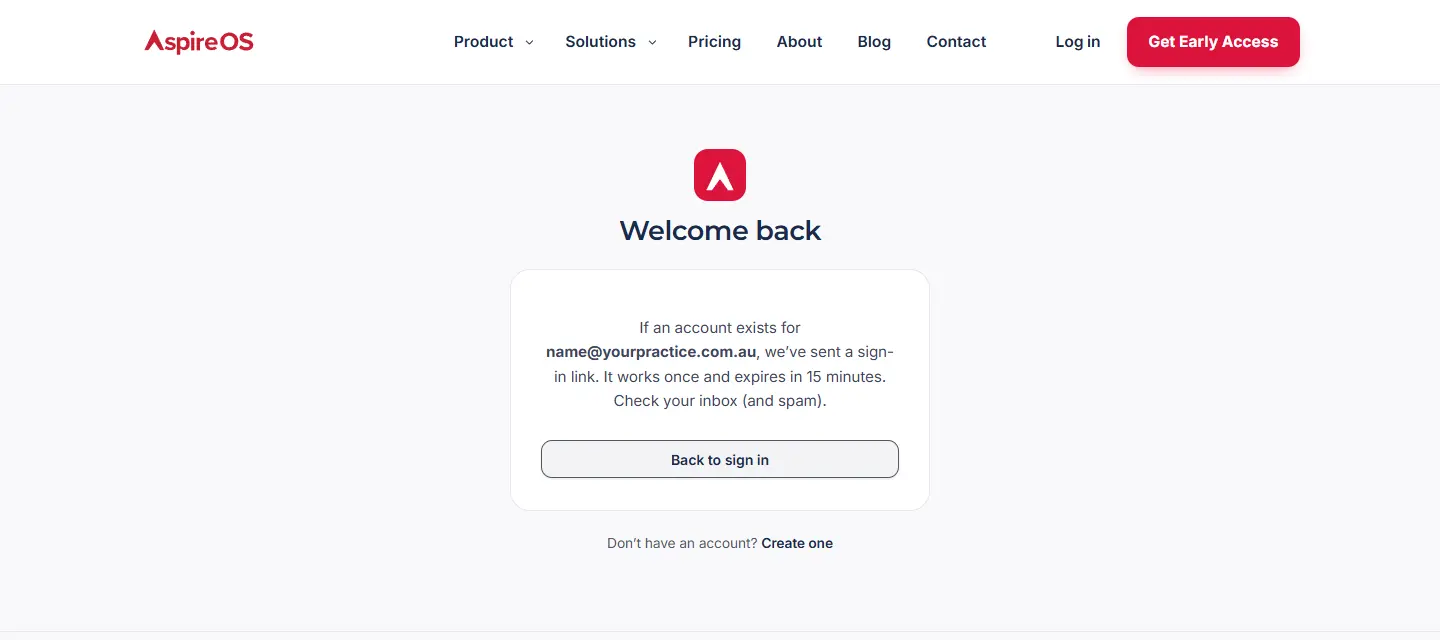
Open the link in your inbox
Check your inbox (and spam). Open the email and click the link, then click Sign in on the page that opens. If you have two-factor on, you'll be asked for your code as usual.
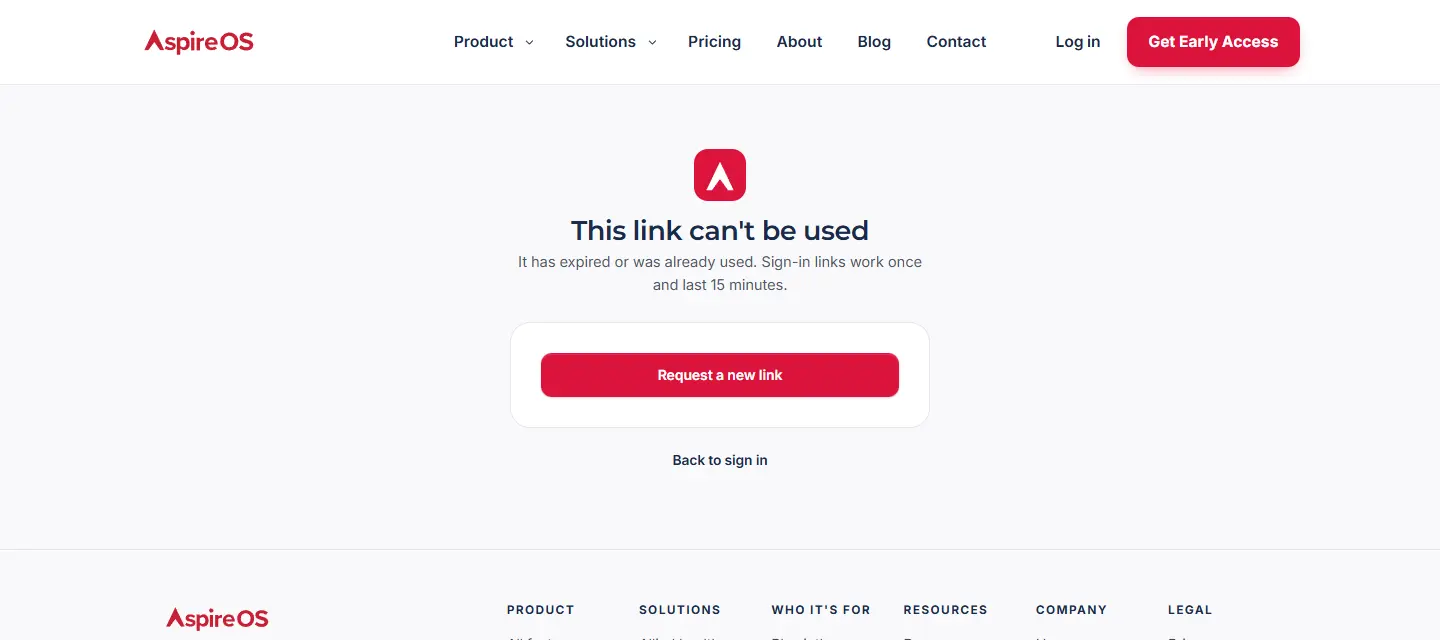
Link expired? Ask for a new one
Each link works once and lasts 15 minutes. If it has expired or was already used, click Request a new link.
Screenshots taken 10 November 2026 on sample data. Your screens may differ slightly as AspireOS improves.
Still stuck?
Ask AspireAi inside AspireOS: it can walk you through any of these, or send a note to our support team for you.