Outcome measures
Record an outcome measure in clinic
Have the patient fill in a measure on your tablet during the visit, or type in a paper copy, and save the score straight to their file.
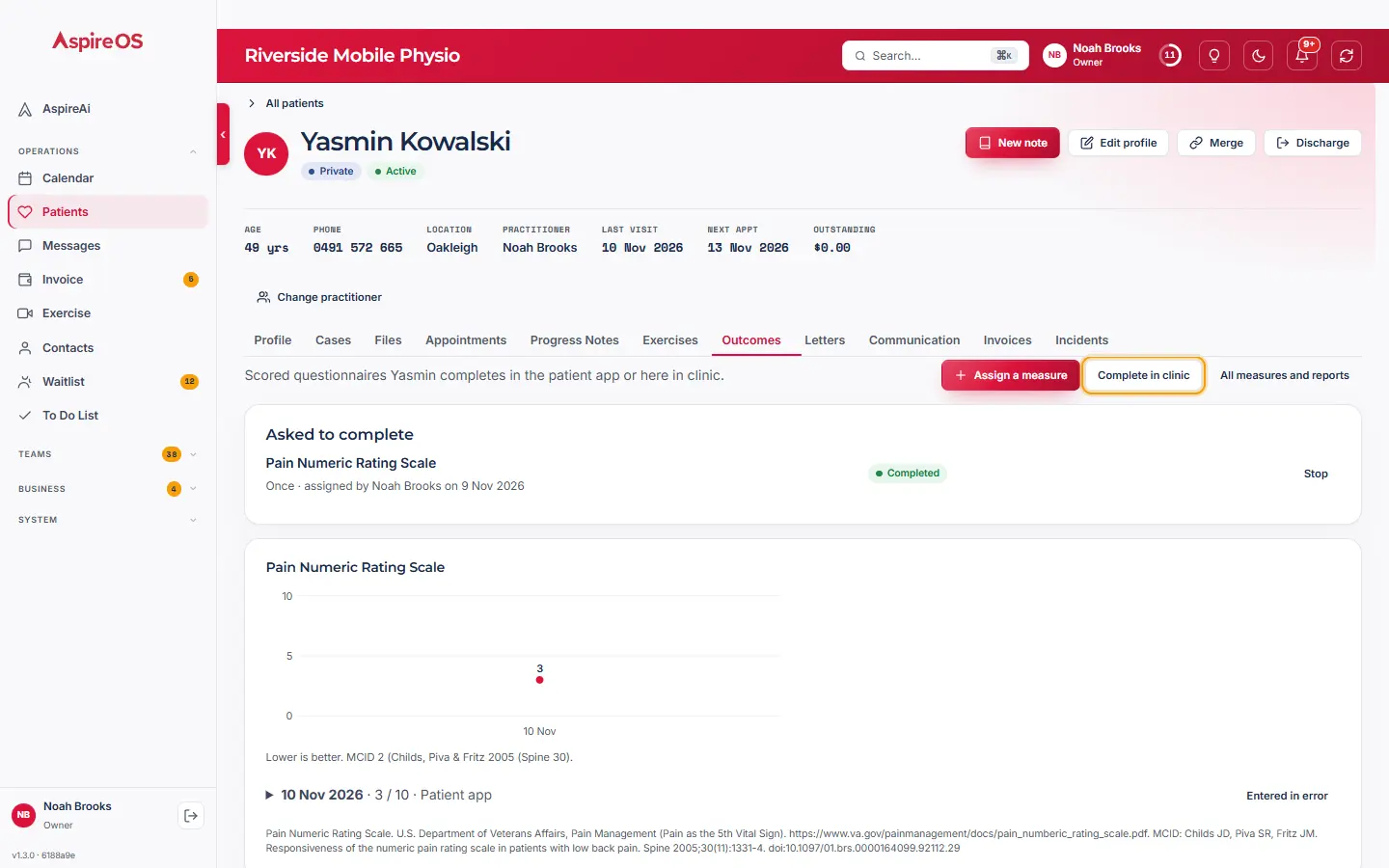
Click Complete in clinic
On the patient's file, open the Outcomes tab and click Complete in clinic.
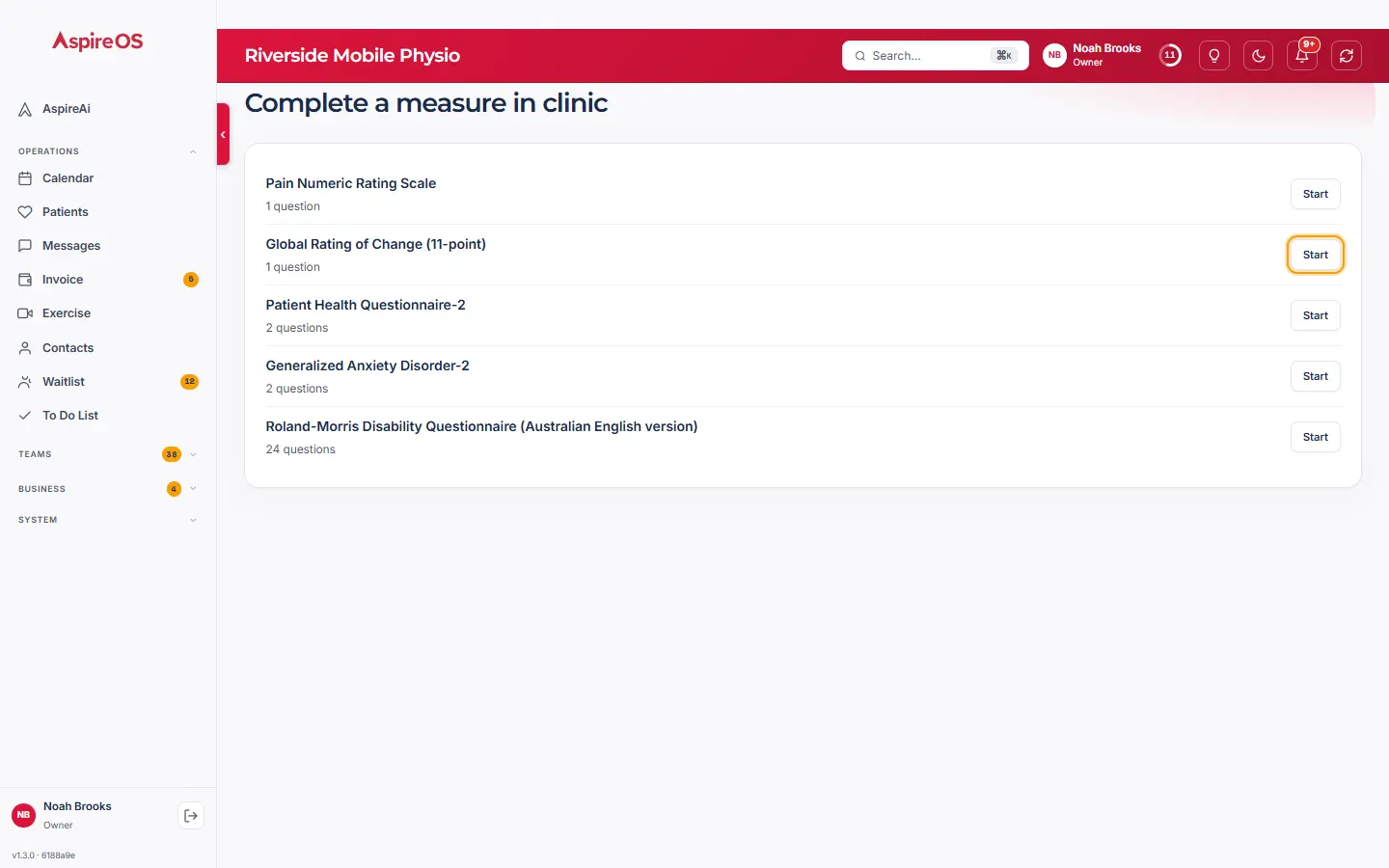
Start the measure
You'll see every measure your practice uses. Click Start next to the one you want.
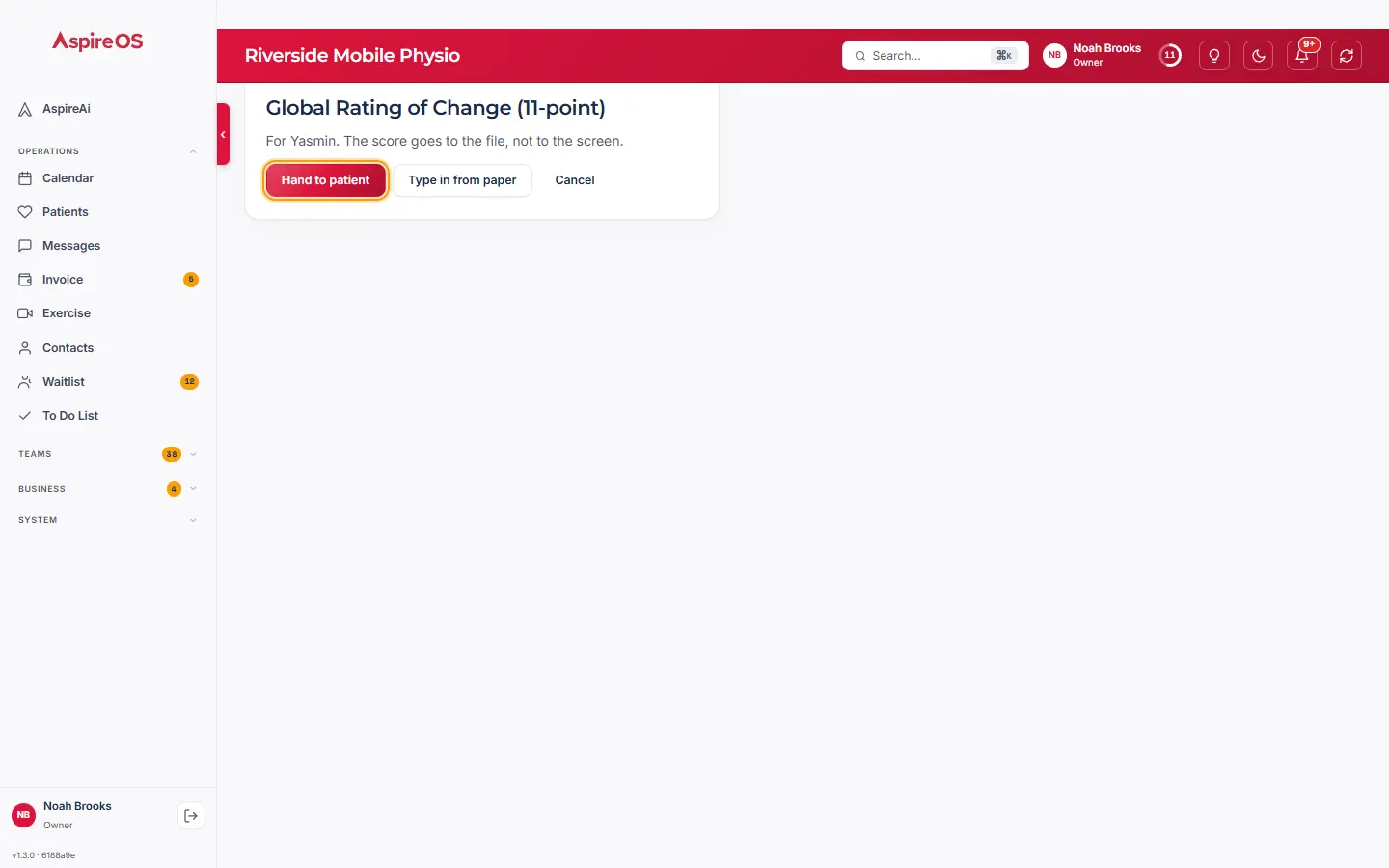
Hand over or type it in
Choose Hand to patient to give them the device, or Type in from paper if they filled in a paper copy. The score goes to the file, not to the screen.
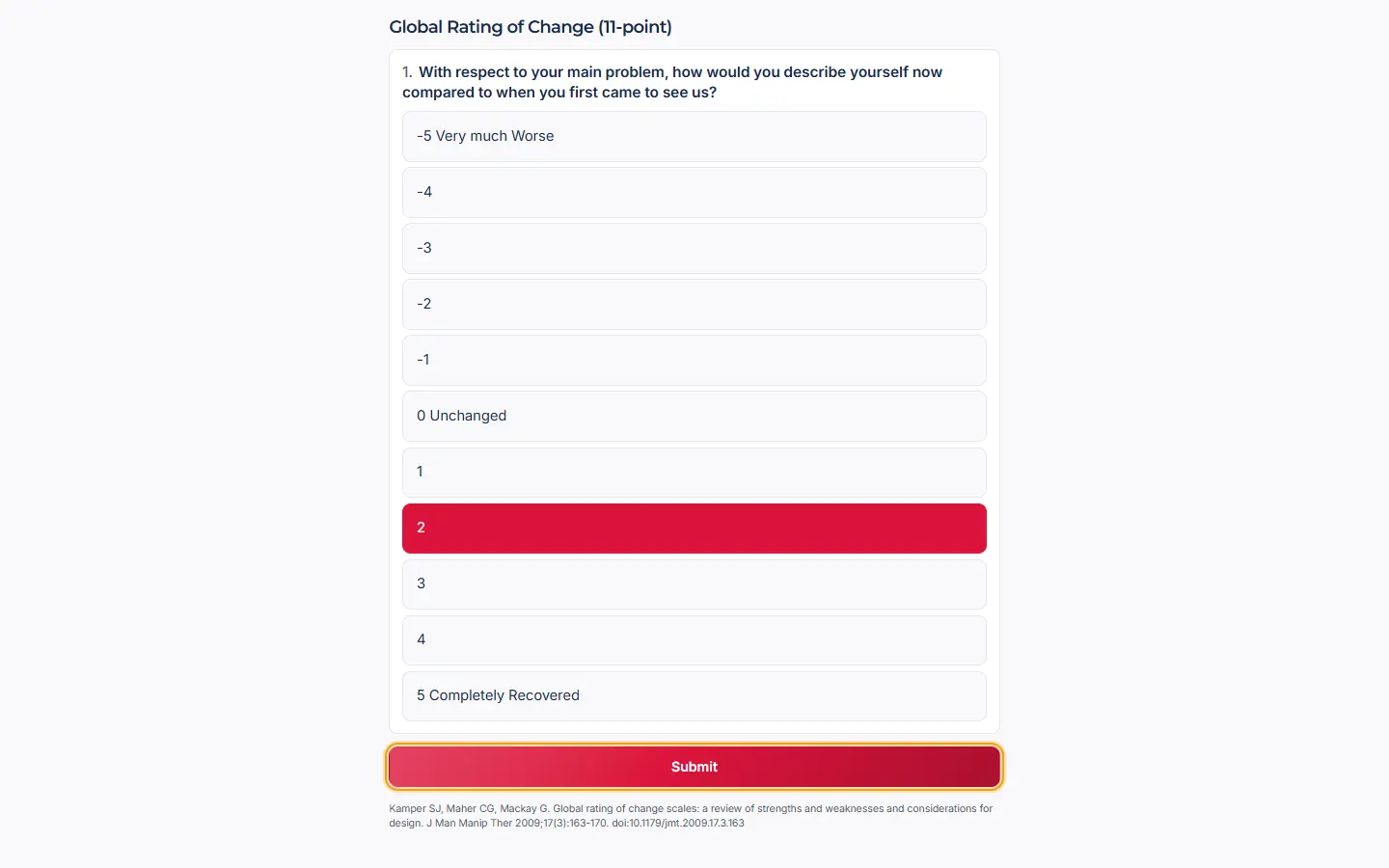
The patient answers and submits
The questions fill the screen. The patient picks their answers and taps Submit.
Check the result on the file
Back on the Outcomes tab the score is charted with the date and "In clinic" plus your name.
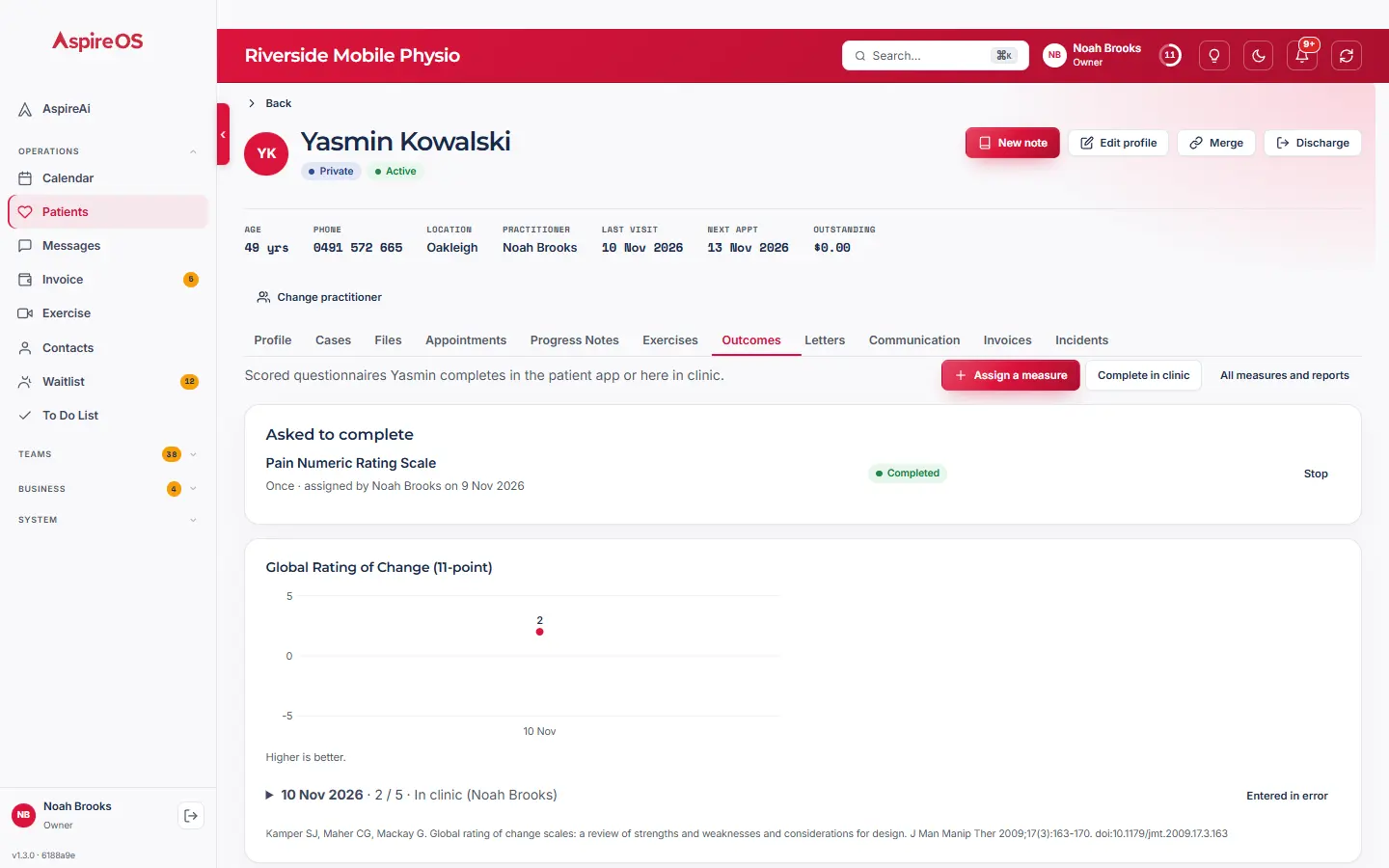
Screenshots taken 10 November 2026 on sample data. Your screens may differ slightly as AspireOS improves.
Still stuck?
Ask AspireAi inside AspireOS: it can walk you through any of these, or send a note to our support team for you.