Exercise programs
Send an exercise program to a patient and see their progress
Invite the patient to their patient app, see what they see when they do their exercises, and read their feedback on the file.
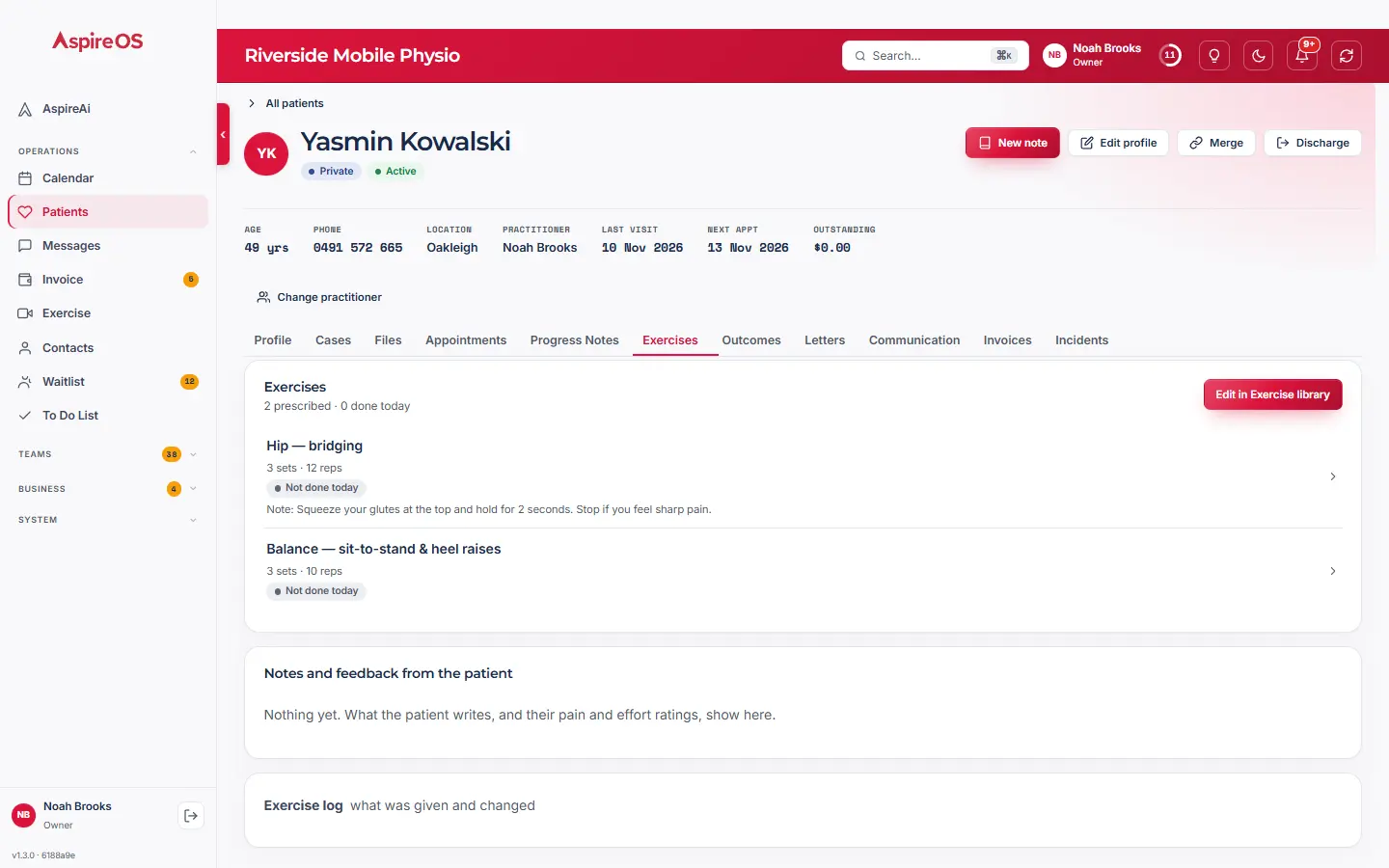
Check the program is ready
Open the patient's file and choose Exercises. Every exercise listed here is already in the patient's app.
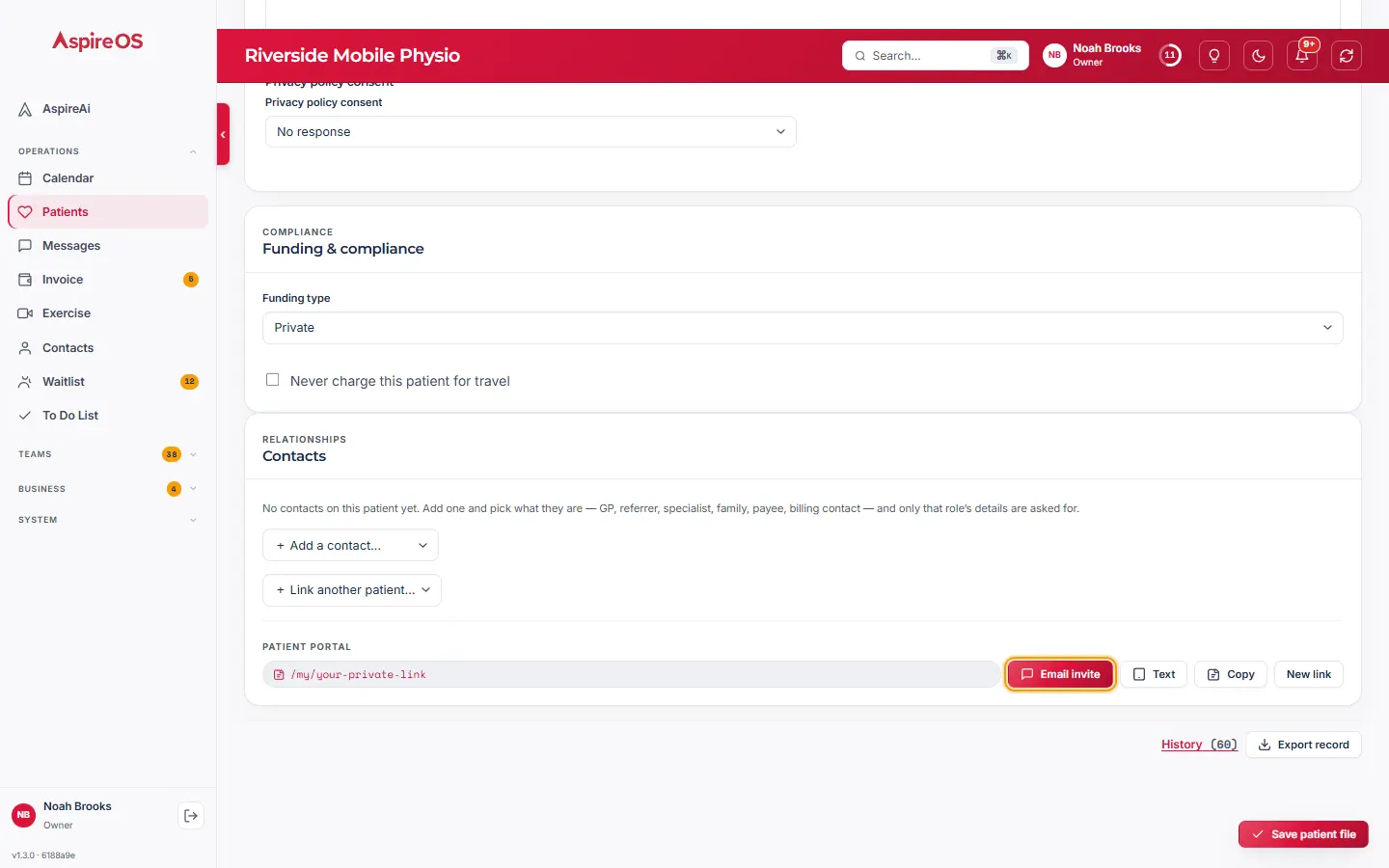
Send the patient their app link
On the Profile tab, scroll to Patient portal. Click Email invite, or Text to send it by SMS. Copy gives you the link to paste yourself.
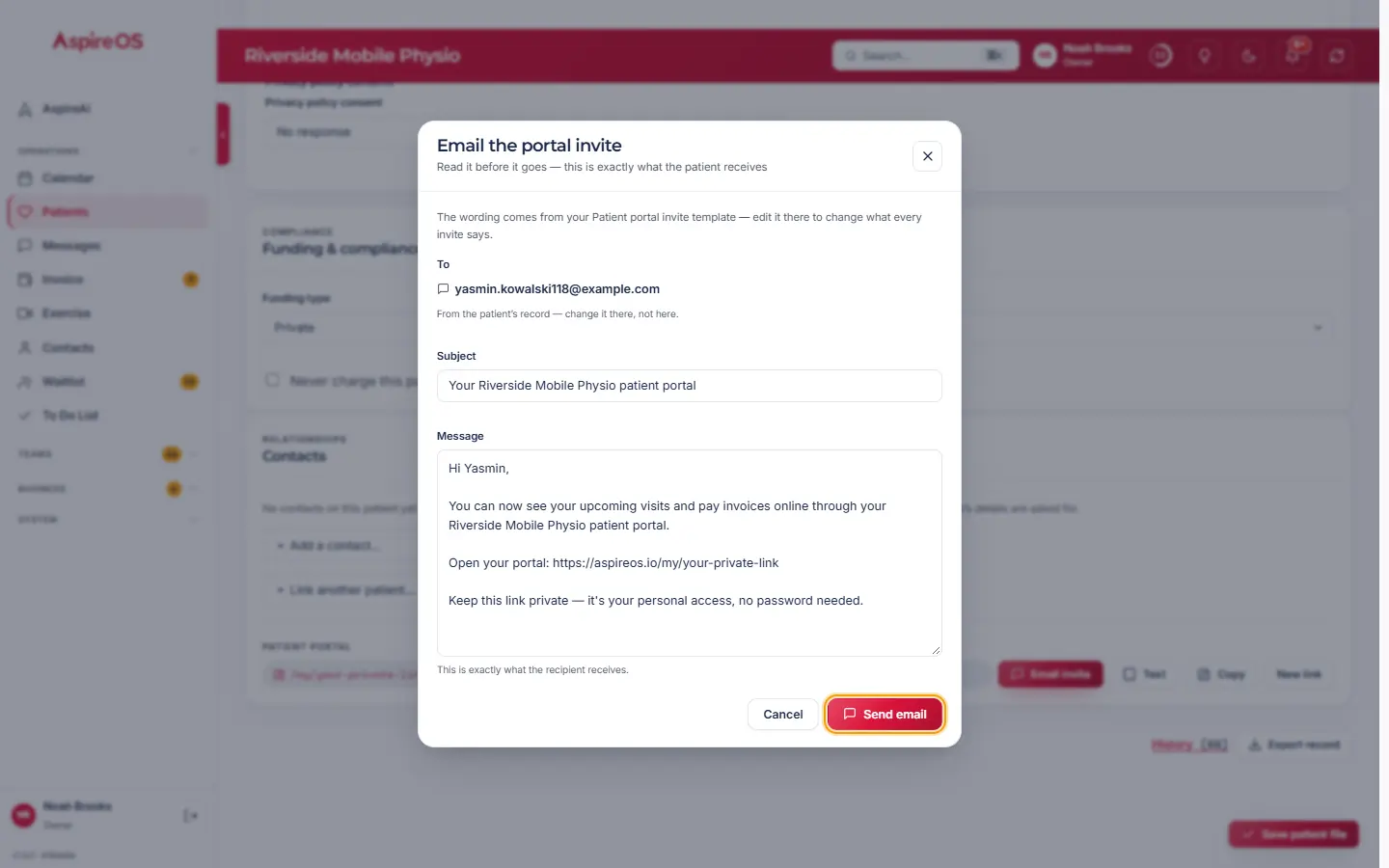
Read it, then send
The invite opens so you can read exactly what the patient will get. Change the wording if you need to, then click Send email.
Patient’s view
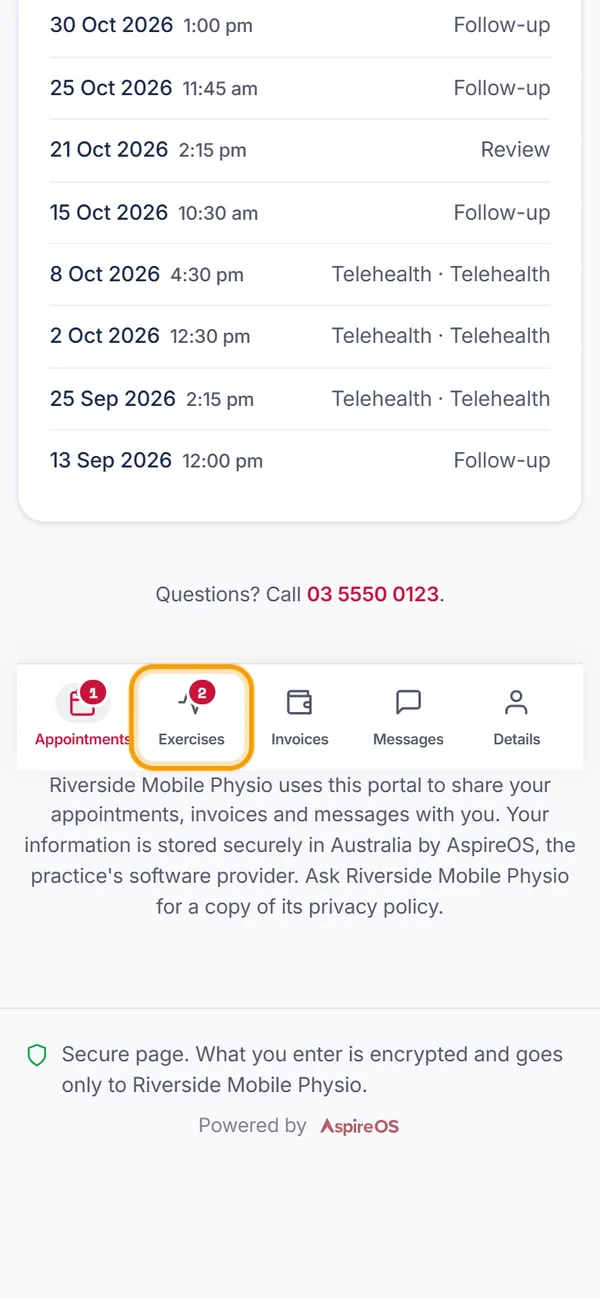
The patient opens Exercises
The patient taps the link on their phone; no password is needed. They tap Exercises in the menu at the bottom.
Patient’s view
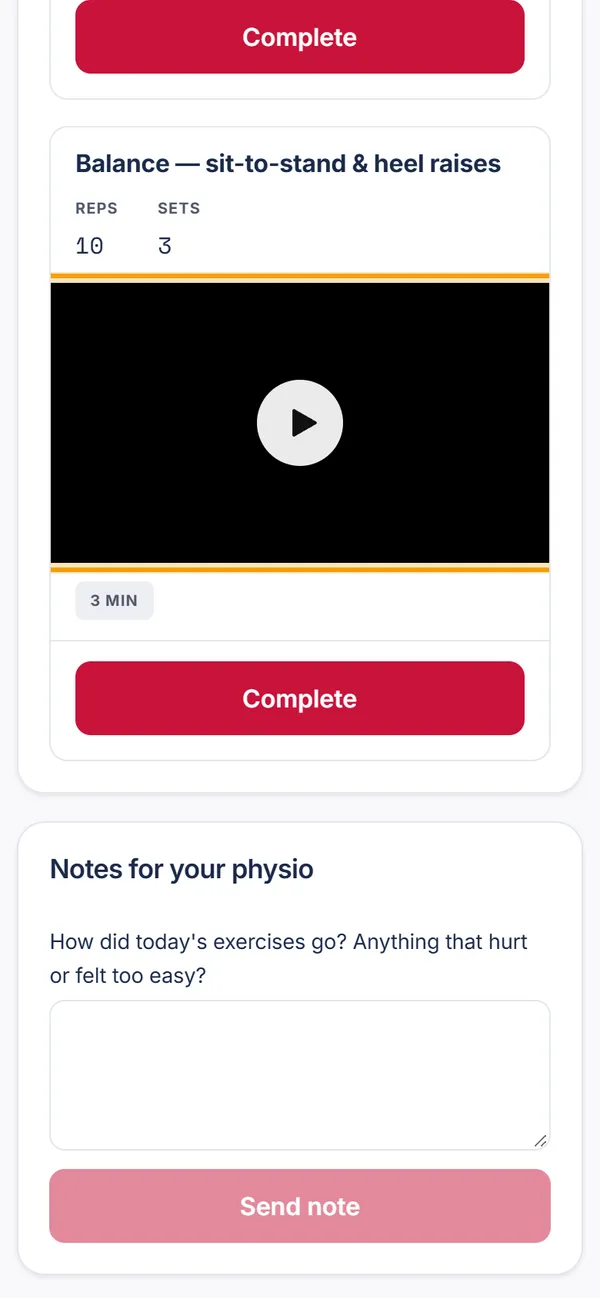
They watch and follow along
Each exercise shows the sets, reps and your note. They tap play to watch the video.
Patient’s view
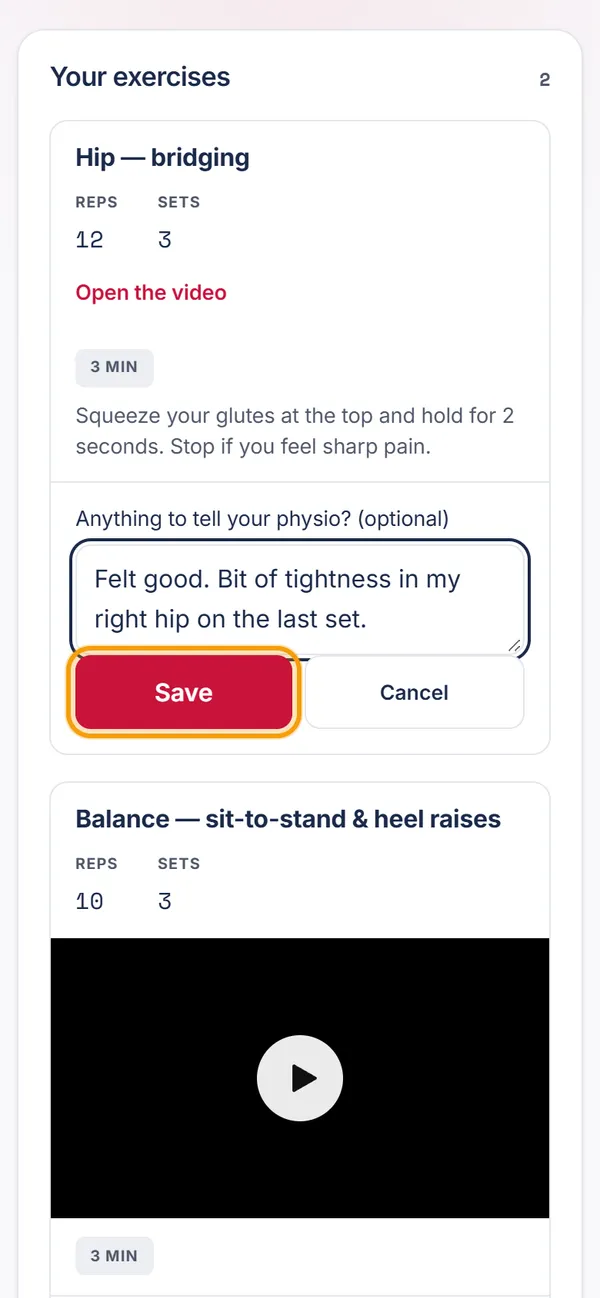
They mark it done
When they finish, they tap Complete, can add a note for you, and tap Save.
Patient’s view
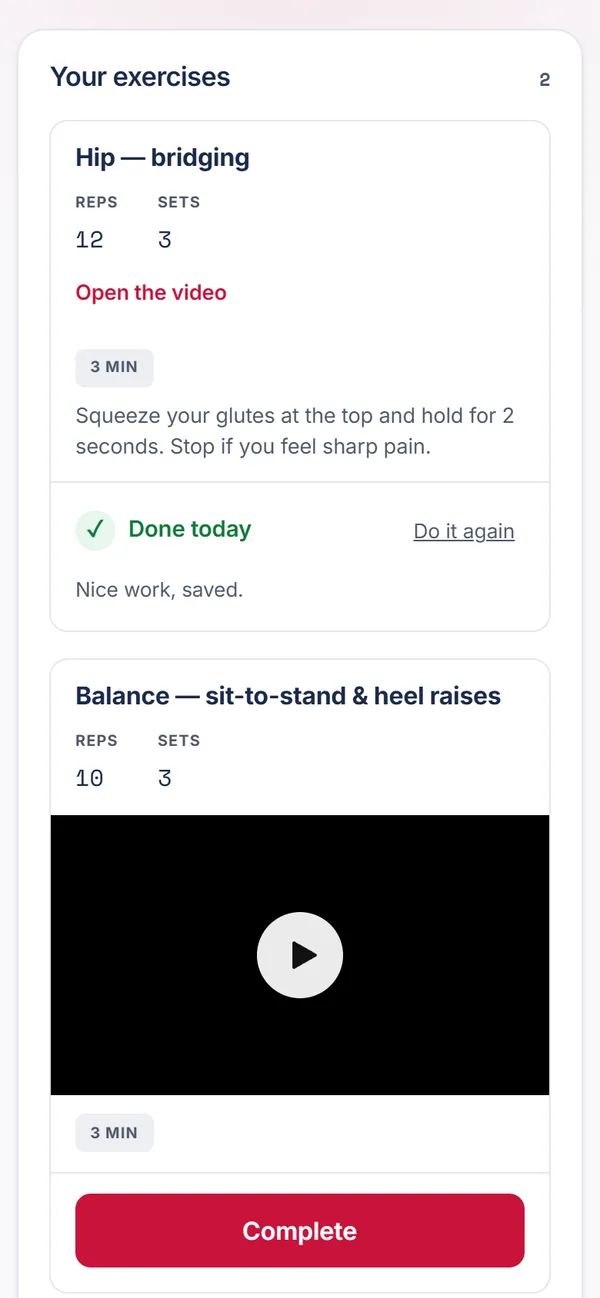
Done for today
The exercise shows Done today. They can tap Do it again for a second session.
Read their progress
On the patient's exercise page you'll see Done today, the last 7 days, and their notes under What the patient recorded.
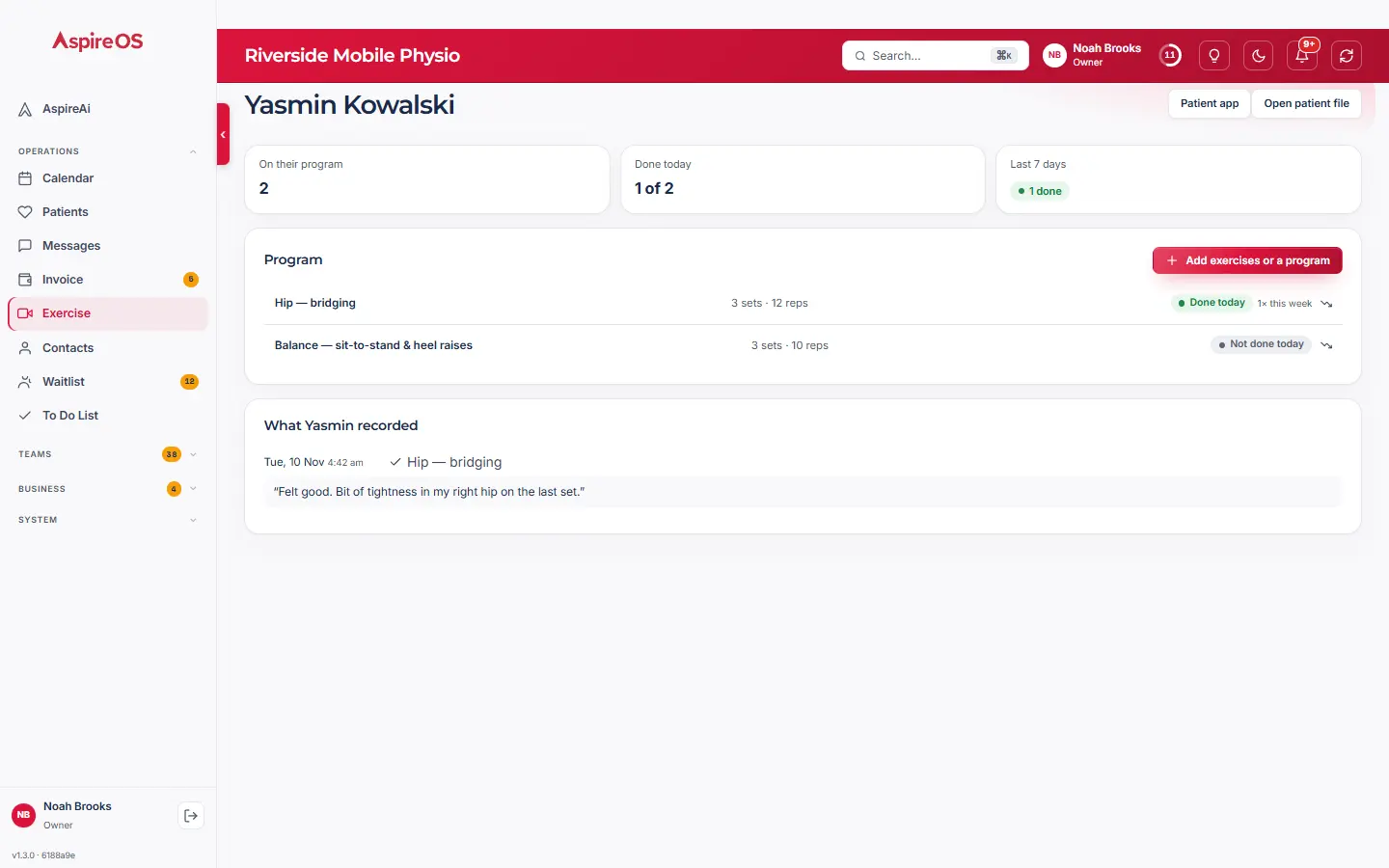
Screenshots taken 10 November 2026 on sample data. Your screens may differ slightly as AspireOS improves.
Still stuck?
Ask AspireAi inside AspireOS: it can walk you through any of these, or send a note to our support team for you.